Applications is 13 GB on this Mac, and four apps are half of it
Sorting your Applications folder by size takes one command and usually finds two or three apps you no longer use. Plus what the number does not include.
For over 2 YEARS I kept fighting low storage space on my M1 Mac, almost always nearing 0 space left. The Storage settings panel is a joke. It kept saying Applications consumed 80 GB!! of space when I had at max 10-15 GB in the Applications folder.
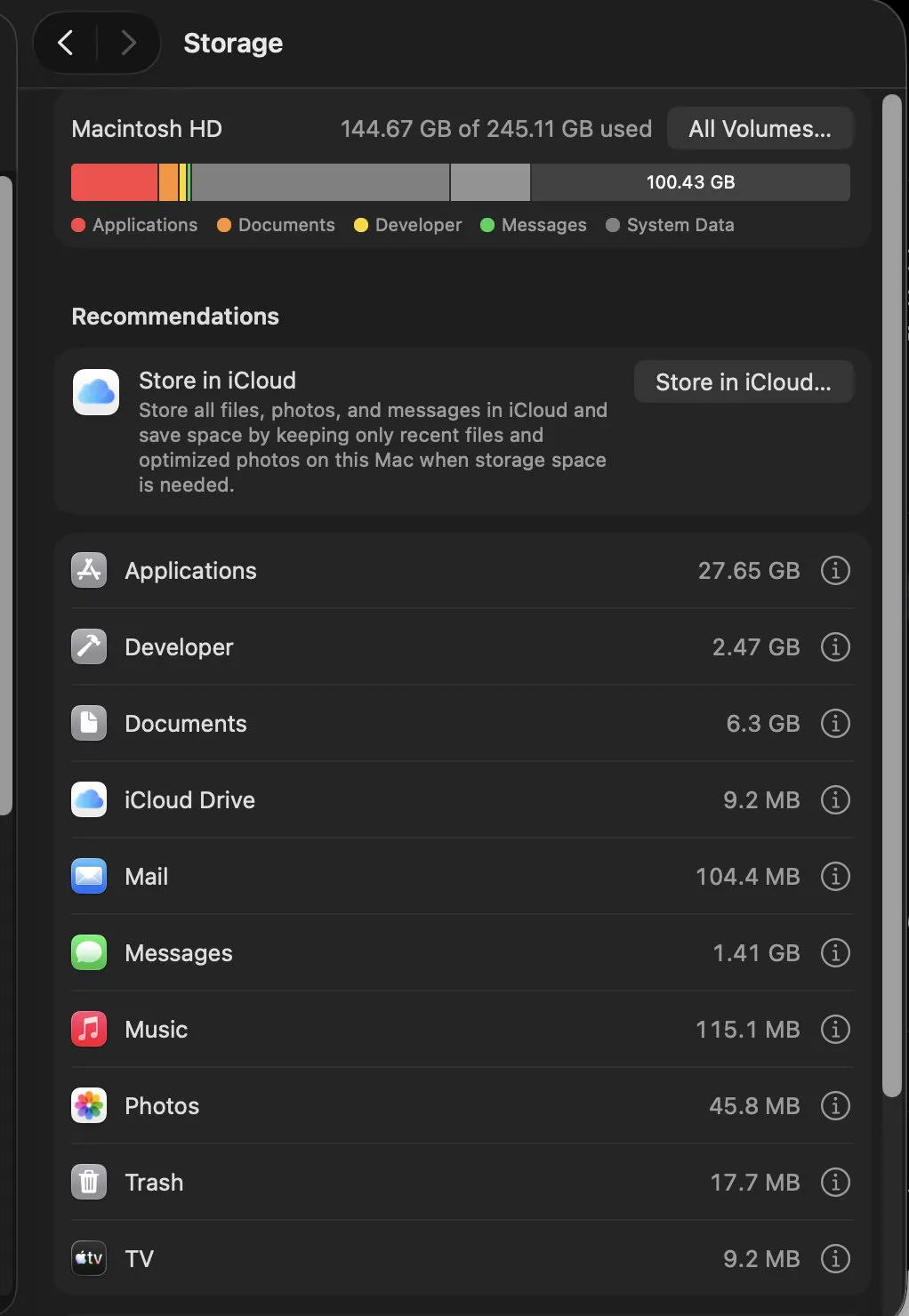
The Applications folder is the one place people do look, and they still get the wrong number, because Finder sorts it alphabetically by default and because the size shown is only half of what an app costs you.
Sorting it properly
du -sh /Applications/* 2>/dev/null | sort -h | tail -20In Finder the same thing is List view, then View, Show View Options, then tick Calculate All Sizes, then click the Size column. It is slower, because Finder has to walk every bundle, but it is the same answer.
Read the result for apps you have stopped using rather than for the biggest one. The largest app on a Mac is usually the one that earns its space. The win is the 1.4 GB app you installed for one project in March.
What the number leaves out
An application bundle is the program. The data it writes lives elsewhere, and for many apps that is the larger half:
du -sh ~/Library/Application\ Support/* 2>/dev/null | sort -h | tail -10
du -sh ~/Library/Containers/* 2>/dev/null | sort -h | tail -10
On the same Mac, one browser's support folder was 6.3 GB against a 1.4 GB bundle, and a virtualisation tool held 2.4 GB in its container on top of a 2.0 GB application. An app that looks like 200 MB in Applications can be several gigabytes in total, which is why the macOS storage screen's Applications figure is misleading in exactly the same way.
Checking what you actually use
Last opened dates are recorded, and they settle most arguments about whether an app is still needed:
mdls -name kMDItemLastUsedDate -name kMDItemDisplayName /Applications/*.app \
  2>/dev/null | paste - - | sort
Anything with no date, or a date from last year, is a candidate. The dates are not perfect, since a reinstall or a migration can reset them, but as a first pass they are far better than memory.
Removing an app so it stays removed
Dragging an app to the Trash removes the bundle and leaves everything else. That is the whole reason uninstalling leaves files behind, and it is why the Applications folder shrinking by 1.4 GB sometimes frees 1.4 GB and sometimes frees five times that, once the support folders go with it.
Common questions
How do I see which apps are using the most space on a Mac?
Run du -sh /Applications/* and sort by size, or in Finder use List view with Calculate All Sizes turned on in View Options and click the Size column. Both walk every bundle, which is why Finder takes a moment to fill in the numbers.
Does the size shown in Applications include the app's data?
No. It is the size of the application bundle only. Support files, caches and containers live under your Library folder and are frequently larger than the app itself, so the total footprint can be several times the number shown.
How can I tell which apps I no longer use?
Last used dates are stored as metadata and can be listed with mdls against the Applications folder. Anything with no date or a date from more than a year ago is worth questioning, allowing for the fact that a migration can reset them.
Does deleting an app free up all its space?
Only the bundle. The support folders, caches and containers stay behind unless something removes them too, which is why an uninstall often frees less than expected and why leftovers accumulate over years.