What belongs on an external SSD, and what will make your builds slow
Simulators, archives and virtual machines move well. DerivedData and active project folders do not. The split that actually works.
im running out of space on my macbook and its becoming annoying i've cleaned up files every other week for last 2 months only to end up back here... so i'm asking anyone on here: what is best setup for someone with a docked macbook? external ssd? if so which one? or...
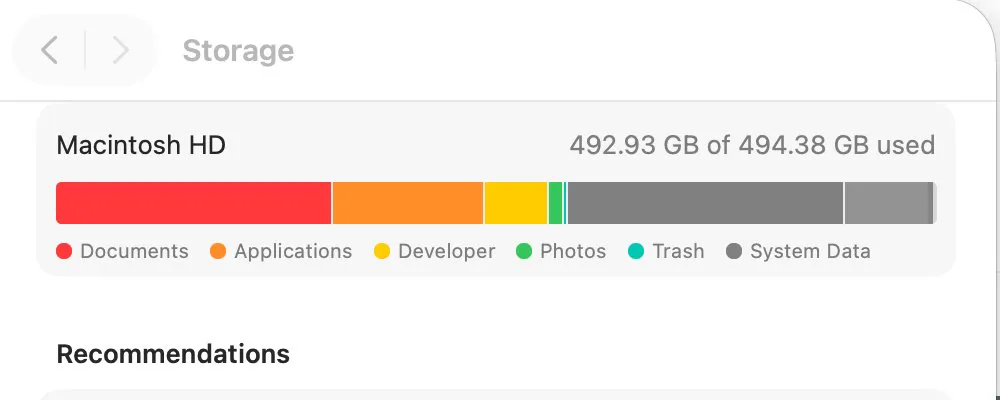
An external SSD is the standard answer to a small Mac doing development work, and it is right for about half of what people put on it. The other half makes builds slower for no benefit, because the deciding factor is not size but how often something is written to.
The split that works
| Belongs on external | Belongs on internal |
|---|---|
| Archives and finished projects | Active project folders |
| Virtual machine images | DerivedData and build output |
| Container images you rarely run | Package manager caches |
| Media and design assets | Anything the compiler writes during a build |
| Old repositories you might return to | The repository you are working in today |
The rule behind the table: a folder written to thousands of times during a build belongs on the fastest connection you have, which is the internal drive. A folder read once a month does not.
Moving Docker, which is usually the biggest win
Docker Desktop can point its virtual disk at another location, in Settings, Resources, Advanced. That single change moves what is often the largest file on a developer Mac, and containers do not care where the disk file lives as long as the drive is fast and stays connected.
du -sh ~/Library/Containers/com.docker.docker/Data 2>/dev/nullWhat happens when the drive is unplugged
- Docker will not start, with a clear error, and starts fine once reconnected.
- A project on an external drive opens as a missing folder in your editor.
- A virtual machine reports its disk as missing rather than corrupting anything.
- Symlinked caches are the dangerous case: a tool that expects a path and finds nothing can behave badly.
That last point is why symlinking a cache directory onto an external drive is worth avoiding. Use the tool's own setting where it has one, which most of them do.
Choosing the drive
For build work the interface matters more than the headline capacity: a modern NVMe drive over USB 4 or Thunderbolt behaves like an internal drive for most tasks, while a cheap USB drive will make everything you moved feel worse. If the drive is slower than the internal one, only move things you do not read often.
For the general question of what tolerates being moved, what moves safely to an external drive covers the non developer folders, and how much space Xcode needs covers the iOS specific split.
Common questions
Can I move Docker to an external drive on a Mac?
Yes, in Docker Desktop's settings under Resources, Advanced, where the disk image location can be changed. It is usually the single largest thing you can move off the internal drive.
Should I put Xcode's DerivedData on an external drive?
No. It is written constantly during builds, so it belongs on the fastest drive you have, which is the internal one. Archives and simulator content move much better.
What happens if the external drive is disconnected?
Tools report the missing location and work again once reconnected. The exception is symlinked directories, where a tool may write to a path that no longer exists, which is why the tool's own setting is safer.
Does the type of external drive matter for development?
Yes. An NVMe drive over Thunderbolt or USB 4 behaves close to internal speed, while a cheap USB drive makes everything moved to it feel slower. Match the drive to what you plan to put on it.