Local model files are the largest downloads on a modern Mac
A single model can be larger than macOS. Where each tool stores them, how to list what you have, and which copies are duplicates.
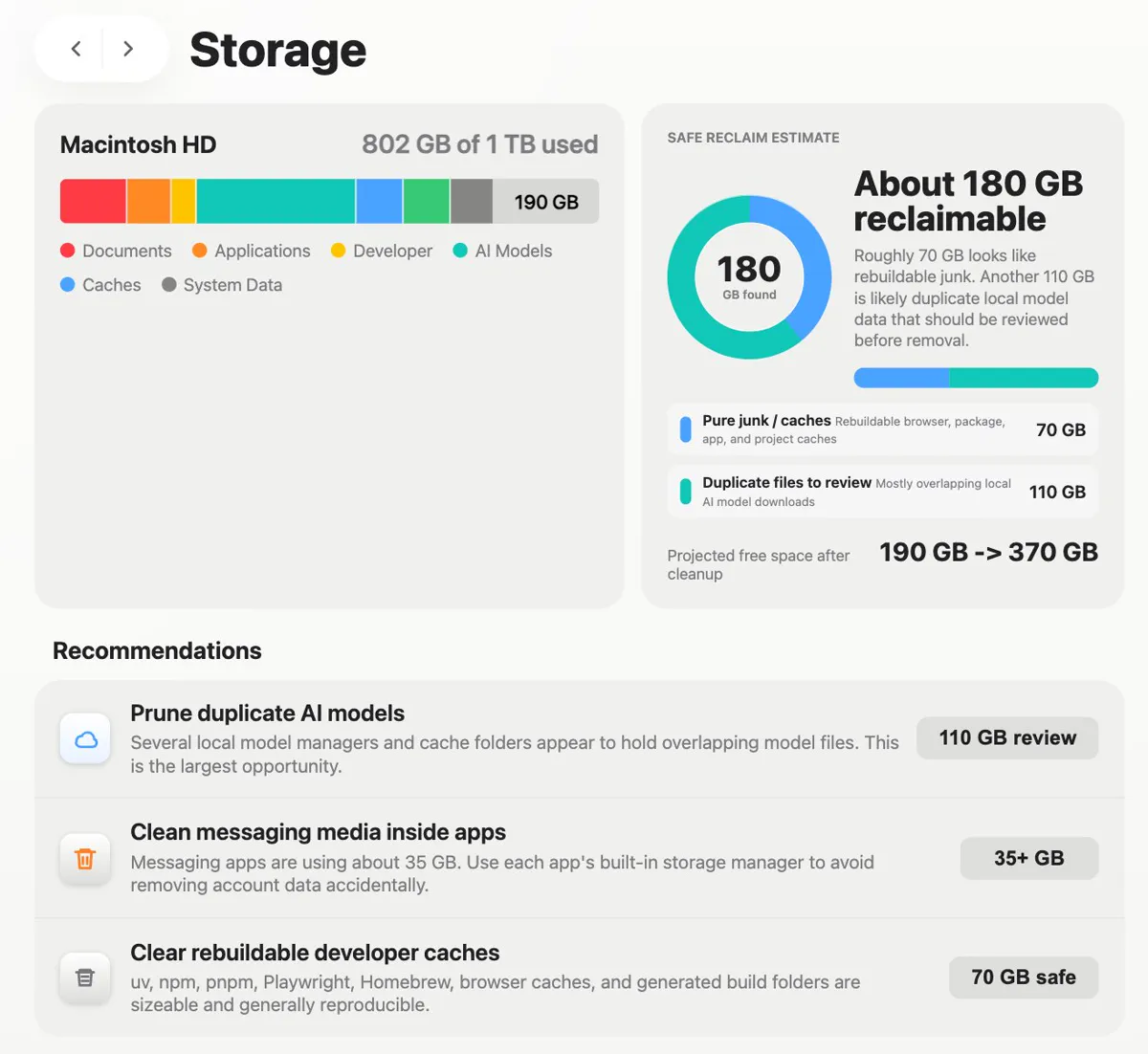
✅ Codex isn't just for writing code. It just rescued my storage. My 1TB Mac was 80% full. 180 GB reclaimable. One prompt. macOS couldn't even tell me what "System Data" was. Codex broke it all down: • duplicate AI models • rebuildable caches • app media I forgot existed
Running a model locally is a single command, which is exactly the problem. Each download is measured in gigabytes, trying three to compare them leaves three on the disk, and none of the tools prompt you to remove the ones you did not choose.
Where each tool keeps them
du -sh ~/.ollama/models ~/.cache/huggingface \
  ~/.cache/lm-studio ~/Library/Application\ Support/*LM* \
2>/dev/null | sort -h| Tool | Location | List command |
|---|---|---|
| Ollama | ~/.ollama/models | ollama list |
| Hugging Face libraries | ~/.cache/huggingface/hub | huggingface-cli scan-cache |
| LM Studio | Its own models folder, shown in settings | In the app |
| llama.cpp and friends | Wherever you saved the file | find by extension |
Removing them properly
ollama list
ollama rm llama3:8b
huggingface-cli delete-cache
Both tools have a remove command that updates their own index, which is better than deleting files underneath them. The Hugging Face command is interactive and shows sizes and last used dates, which makes the decision easy.
The duplicates nobody notices
The same model often exists twice on one Mac: once in a tool's own store and once in a Hugging Face cache, because a library downloaded it separately. Quantised variants multiply that again, since a model at two different quantisation levels is two full files rather than a base plus a difference.
find ~ -type f \( -name '*.gguf' -o -name '*.safetensors' -o -name '*.bin' \) \
  -size +500M -exec ls -lh {} + 2>/dev/null | sort -k5 -h | tail -20
That finds model files wherever they are, including the ones you downloaded by hand into a project folder and forgot. On a machine used for experiments this list is usually longer than expected.
Keeping it under control
- Remove a model as soon as you have decided against it, not later.
- Keep one quantisation per model unless you are genuinely comparing them.
- Point tools at an external drive if you collect models seriously.
- Check the caches after a library upgrade, since some redownload rather than reuse.
Models are the largest single files, and the tools that use them keep their own runtimes and indexes as well, which is covered in what AI coding tools store on a Mac.
Related: Pinokio taking up space on Mac and Topaz AI models taking up space on Mac.
Common questions
Where does Ollama store models on a Mac?
In ~/.ollama/models. Use ollama list to see what is installed with sizes, and ollama rm to remove one, which keeps the tool's own index consistent rather than leaving it referring to files that are gone.
How do I clear the Hugging Face cache?
Run huggingface-cli scan-cache to see what is stored with sizes and last used dates, then huggingface-cli delete-cache to remove selected revisions interactively. The cache lives in ~/.cache/huggingface/hub.
Why do I have the same model twice?
Because different tools keep their own stores, and a library may download a copy into the Hugging Face cache even when another tool already has it. Quantised variants are separate full files as well, not differences applied to a base.
How much space do local models use?
Several gigabytes each, with larger models running to tens of gigabytes. On a Mac used for experimenting, model files are frequently the largest individual files on the disk.