How to check MacBook battery health and cycle count
Where to see Maximum Capacity, Condition and cycle count on a MacBook, in Settings or with one command, and what the numbers mean. Ours: 82% after 618 cycles.
My M4 MacBook Pro battery health is still at 98% after almost two years.
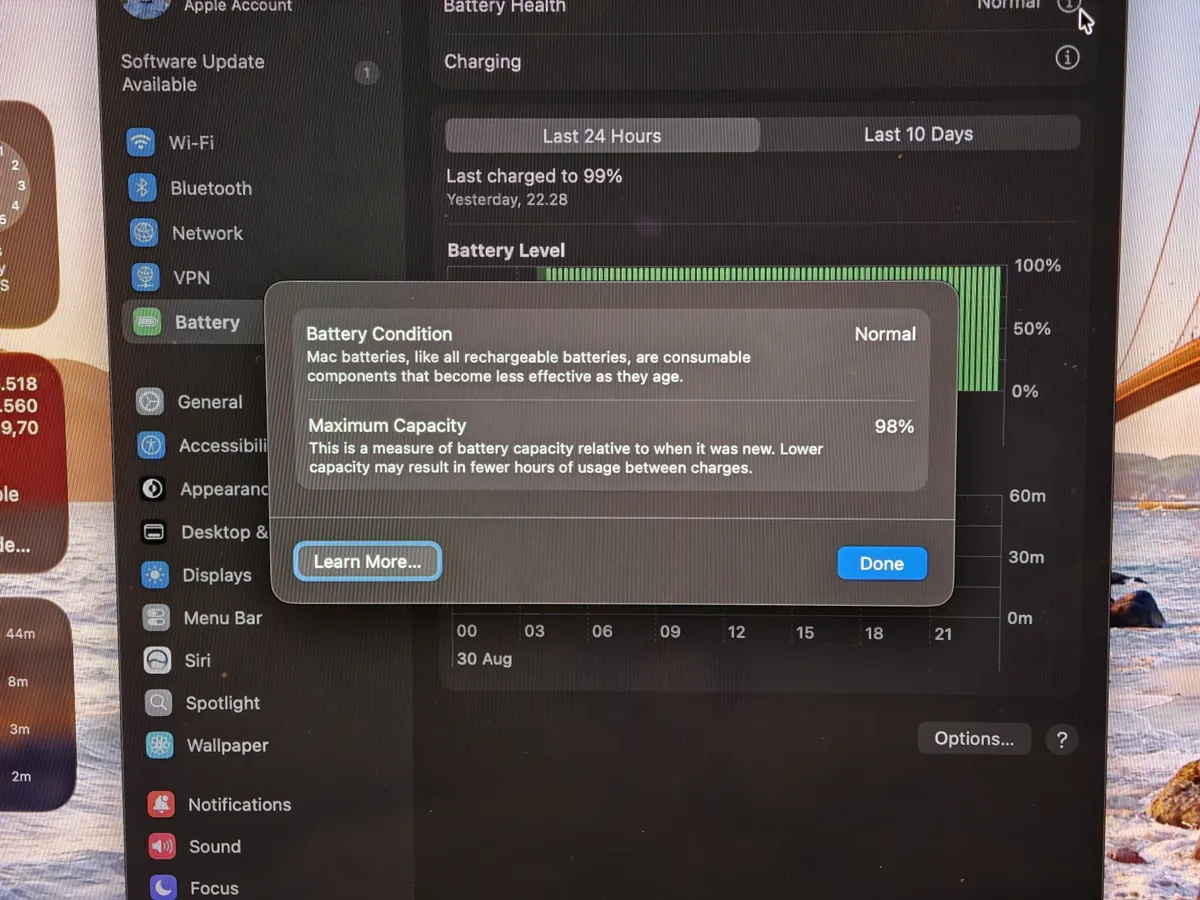
How do I check battery health on a MacBook?
System Settings, Battery, then the info button beside Battery Health. It shows Maximum Capacity as a percentage and Condition as Normal or Service Recommended.
How do I see the battery cycle count?
Settings does not show it. Run this in Terminal, or open System Information, Power:
system_profiler SPPowerDataType | grep -E "Cycle Count|Condition|Maximum Capacity"What is a good battery health for a MacBook?
Above 90 percent is young, 80 to 90 is normal wear for a few hundred cycles, and below 80 is where Apple's battery service under AppleCare+ starts. What 80 percent means covers that line.
Common questions
Where is battery health on a MacBook?
System Settings, Battery, then the info button next to Battery Health. It shows Maximum Capacity and Condition.
How do I check the battery cycle count on a Mac?
Run system_profiler SPPowerDataType in Terminal, or open System Information and choose Power. Our MacBook Air showed 618 cycles in October 2026.